Staff schedules that connect to real clocked hours
Plan shifts by classroom, see who is expected, capture actual time, approve time off and prepare payroll without retyping the week into another system.
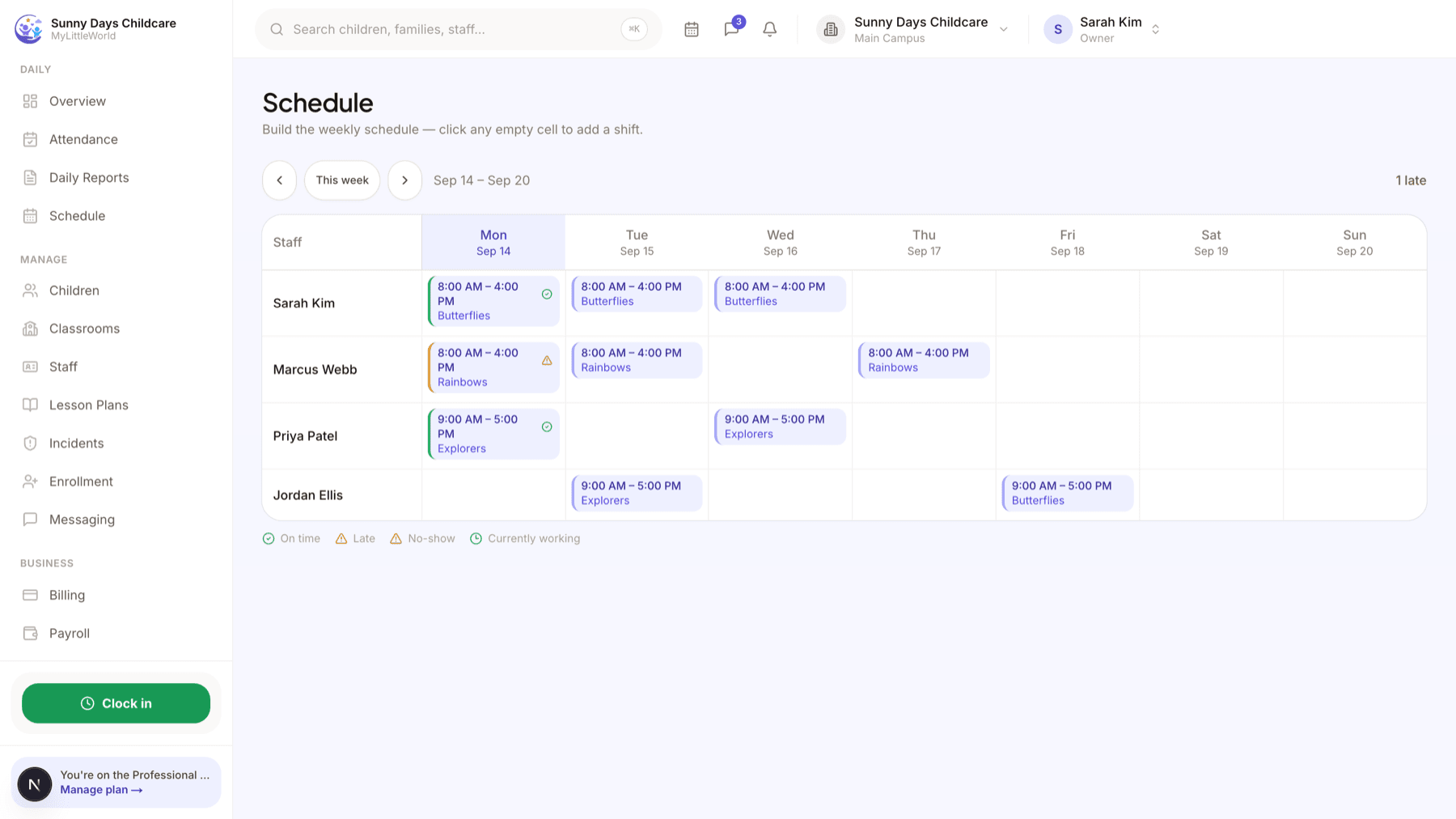
From next week's schedule to this week's payroll
Classroom shifts
Create shifts with start, end and classroom assignment so coverage is visible before the day begins.
Staff time clock
Employees clock in and out through their account, creating the source record for worked hours.
Coverage visibility
Compare scheduled staff with current attendance and classroom needs from the operations workflow.
Time-off requests
Staff submit requests and managers approve or decline them from a central queue.
Payroll runs
Review regular, overtime and approved time-off hours before approving a payroll run.
Accountant-ready export
Download structured hours and pay information for the person or provider who processes wages.
One record from schedule to export
- Build shifts and assign staff to classrooms.
- Employees clock their actual arrivals and departures.
- Review the period, approve the run and export it for payroll processing.
MyLittleWorld calculates hours and prepares payroll records. It does not send wages, withhold tax or file payroll remittances.
Staff scheduling questions
Can staff clock in from their account?
Yes. Their clock entries feed the worked-hours record used for review.
Can managers approve time off?
Yes. Requests can be reviewed from one queue before schedules and payroll are finalized.
Does MyLittleWorld pay employees?
No. It prepares hours and pay information for export; wages are processed through your bank, accountant or payroll provider.
Is scheduling included in every plan?
Yes. Staff scheduling, time tracking and payroll runs are included with the complete platform.